

What Is the FxPro Minimum Deposit?
FxPro does not set a fixed minimum deposit for its Standard trading account. The smallest amount a client can add depends on the funding method available in FxPro Direct or the FxPro App.
Banks, cards, electronic wallets and local payment providers may apply different minimum transaction limits. The exact amount is shown after logging in and selecting a payment method.
Quick answer: the FxPro Standard account has no fixed minimum deposit. A small payment may be accepted if it meets the minimum limit of the selected funding method.
| Deposit detail | Current information |
|---|---|
| Standard account minimum | No fixed minimum set by FxPro |
| Small deposit | May be possible depending on the payment method |
| Exact payment minimum | Displayed inside the client account |
| Amount in ZAR | Depends on the provider, currency and exchange rate |
| FxPro deposit fee | No transaction fee charged by FxPro |
| Bank or provider fee | May apply |
FxPro also mentions $1,000 or an equivalent amount as a recommended balance for more flexible management of lot size, leverage and margin. It is not a mandatory minimum for the Standard account.
Can You Start FxPro with a Small Deposit?
A trader may be able to start with a relatively small amount if the selected payment method accepts it. For example, a client considering a deposit of approximately $10 should first check the minimum shown in FxPro Direct.
FxPro does not publish $10 as a universal minimum for every client. The available limit can vary by payment provider, account currency and jurisdiction.
A small live deposit can help a beginner learn how funding, spreads and order execution work while limiting the amount placed at risk. However, it also reduces the position sizes that can be opened and leaves less free margin for market movements.
Do not use excessive leverage simply to open a larger position with a small balance. Trade size should match the available funds and the amount you can afford to lose.
Before Starting with a Small Amount
- Check the minimum transaction limit of the payment method.
- Review the smallest available position size.
- Calculate the margin required for the intended trade.
- Allow for bank and currency-conversion charges.
- Use only money you can afford to lose.
New users can also practise with virtual funds before moving to live trading.
Try an FxPro Demo AccountFxPro Minimum Deposit in South African Rand
FxPro does not publish one permanent minimum deposit amount in South African rand for every Standard account. A fixed ZAR figure may quickly become inaccurate because exchange rates and payment limits change.
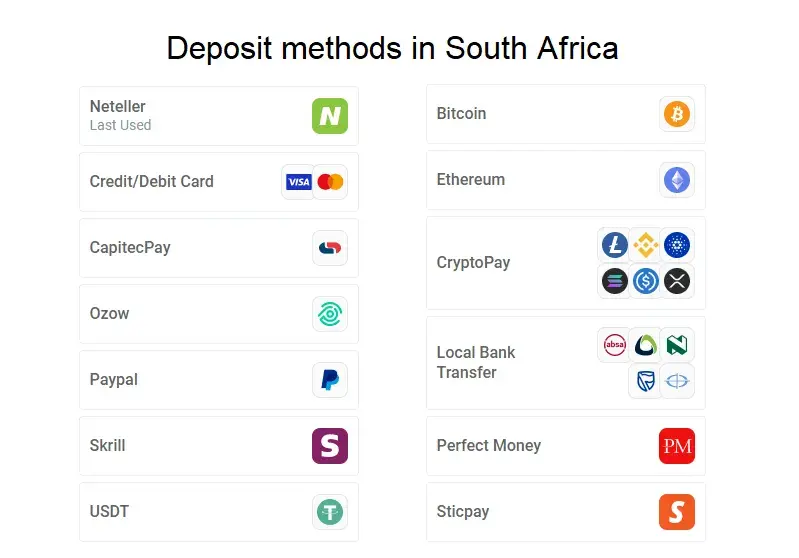
South African clients should check the accepted amount and available currency directly inside FxPro Direct or the FxPro App. These options may depend on the client’s account, jurisdiction and payment provider.
A payment from a rand-denominated bank account may be converted if the selected Wallet or trading account uses another currency. The bank, card issuer or payment provider may apply its own exchange rate or conversion charge.
Why the ZAR Amount Can Change
- The USD/ZAR exchange rate changes.
- Providers use different minimum transaction limits.
- Funding methods vary by account and jurisdiction.
- Banks may apply processing or conversion fees.
Minimum Deposit and Trading Margin
The smallest payment accepted by a provider and the amount needed to open a trade are not the same thing. A payment method may accept a small deposit, but the account still needs sufficient margin for the selected position.
| Term | Meaning |
|---|---|
| Minimum deposit | The smallest payment accepted by the provider |
| Margin | Funds reserved when a leveraged position is opened |
| Free margin | Funds remaining after margin has been reserved |
| Trading risk | The amount that may be lost if the market moves against the trade |
The practical balance depends on the instrument, trade size, leverage and number of open positions. A margin calculator can help estimate the funds required before making a deposit.
FxPro Deposit Methods
Deposits are managed through FxPro Direct or the FxPro App. The options shown after login may vary according to the client’s country, account entity and payment provider.
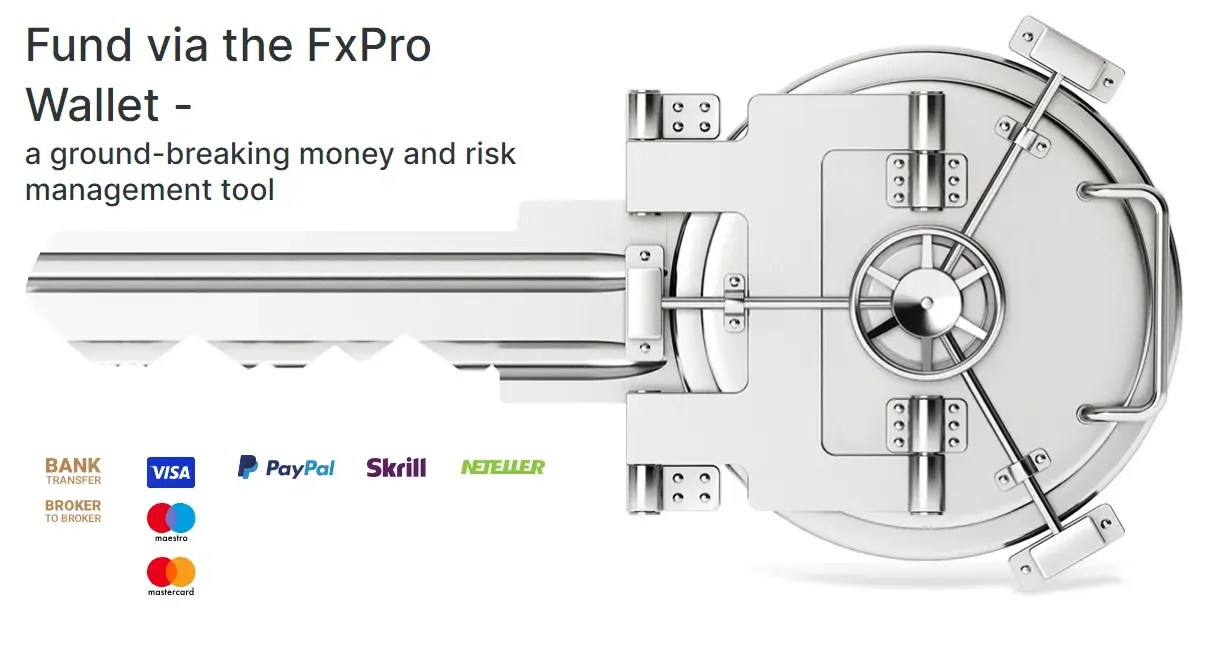
Available methods may include:
- bank transfer;
- credit or debit card;
- supported electronic wallets;
- local payment options where available.
Each method may have its own minimum amount, maximum limit, currency conditions and processing time. FxPro states that it does not charge transaction fees for deposits, although banks and providers may apply separate fees.
For additional information, see the FxPro deposit methods overview.
How to Deposit Money into an FxPro Account
Register, complete the required verification and open the funding section to see the deposit methods and limits available for your account.
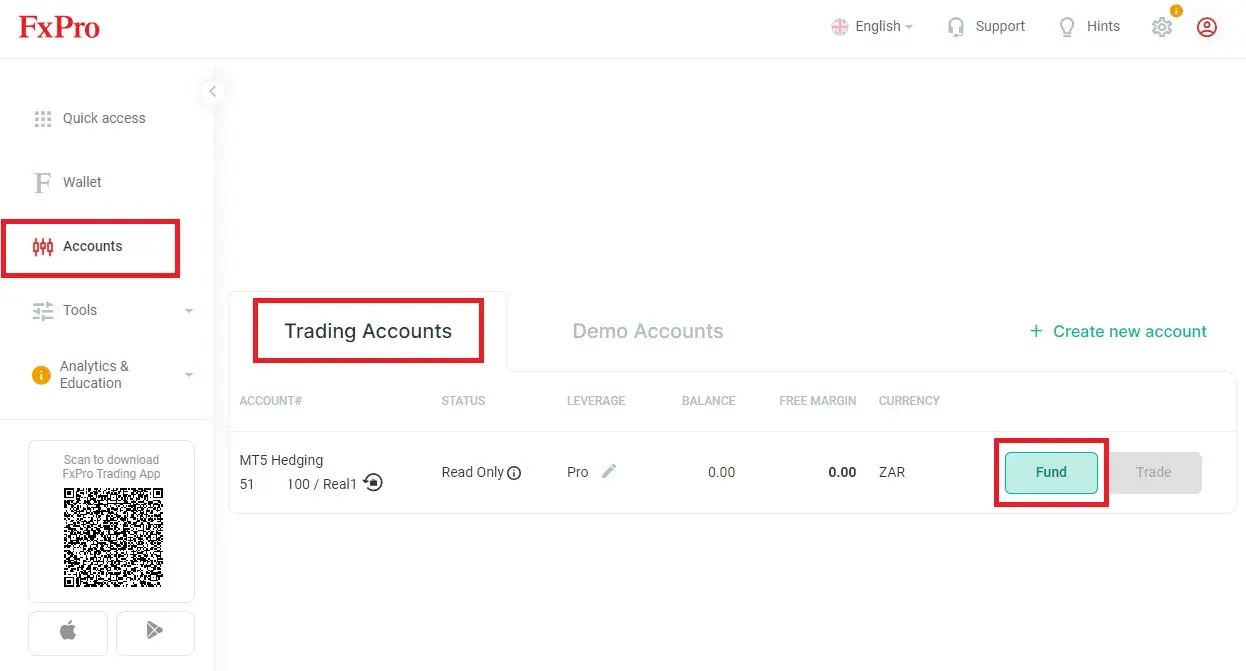
1. Register or Sign In
Visit the FxPro website and open the FxPro Client Area.
2. Complete Verification
Submit the requested identity and address details.
3. Open the Funding Section
Select Wallet, Top Up or Deposit Funds.
4. Choose a Payment Method
Select an available bank, card, wallet or local option.
5. Check the Limit
Review the minimum amount, currency and possible provider costs.
6. Confirm the Payment
Enter the amount and follow the payment provider’s instructions.
FxPro Deposit Fees and Processing Times
FxPro states that it does not charge transaction fees for deposits or withdrawals. However, banks, card issuers, payment providers and intermediary banks may apply their own charges.
These costs matter particularly for small deposits. A fixed fee or conversion charge can represent a significant percentage of a $10 or $20 payment.
Processing times depend on the method selected. Electronic payments may be faster than bank transfers, while verification or provider checks can cause delays.
Check Withdrawal Conditions Before Depositing
Before adding funds, check whether the same method supports withdrawals, how long processing may take and whether the original deposit must first be returned to its funding source.
More information is available in the guides to the FxPro minimum withdrawal and FxPro withdrawal time.
FxPro Minimum Deposit FAQ
- What is the minimum deposit for FxPro?
- FxPro does not set a fixed minimum deposit for its Standard account. The smallest amount depends on the payment method and transaction limit displayed inside the client account.
- Can I start FxPro with $10?
- A $10 payment may be possible if the funding method available in your account accepts it. FxPro does not publish $10 as a universal minimum for all clients.
- Do I need to deposit $1,000?
- No. FxPro mentions $1,000 or an equivalent amount as a recommended balance for more flexible margin management. It is not a mandatory minimum for the Standard account.
- What is the FxPro minimum deposit in ZAR?
- There is no permanent fixed ZAR minimum. The accepted amount depends on the payment method, account currency, provider limit and exchange rate.
- Can I trade with a small FxPro balance?
- This depends on the selected instrument, minimum position size, leverage and margin requirement. A small balance limits the trades that can be opened and leaves less free margin.
- Does FxPro charge a deposit fee?
- FxPro states that it does not charge transaction fees for deposits. Banks, card issuers and payment providers may apply separate fees or conversion costs.
- Why was my FxPro deposit declined?
- A deposit may be declined if the account is not verified, payment details do not match, the method is unavailable, a provider limit was not met or the bank rejected the transaction.
FxPro Minimum Deposit: Final Summary
FxPro does not set a fixed minimum deposit for its Standard account. South African traders may be able to begin with a small amount, including approximately $10, only when the selected payment provider accepts it.
Before paying, check the current transaction limit, ZAR conversion, external fees and margin required for the intended trade inside FxPro Direct or the FxPro App.
Register and View Deposit Options